08 / STROKE IMAGING
From stroke scan review to procedure guidance.
QuanSTROKE brings scan review, diagnosis and triage, large-vessel occlusion detection, procedure planning, and real-time guidance into one workflow.
Ask about QuanSTROKE →For research use only. Analysis results require clinical review and are not validated for clinical decisions.
THE FILM
From the first scan to the clot.
Demonstration data. The on-call phone review and the outcome are illustrative.
THE WORKFLOW
Six steps from scan review to procedure.
- 01
Study review
Organize the non-contrast CT, CTA, and perfusion scans for the case.
- 02
Diagnosis and triage
Review CT findings and perfusion results to assess the stroke.
- 03
LVO detection
Find and assess a suspected large-vessel occlusion on CTA.
- 04
Procedure planning
Plan the target, access route, and working view.
- 05
Procedure assistance
Use real-time imaging guidance during the procedure.
- 06
Report
Keep the findings and procedure details together for review.
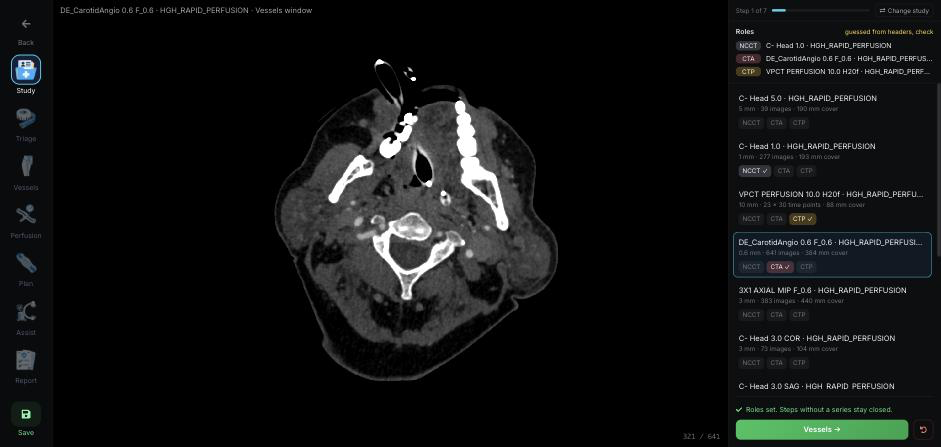
Start with the right CT series.
Assign the non-contrast CT, angiography, and perfusion scans to the case. Review the selected series before moving to the next step.
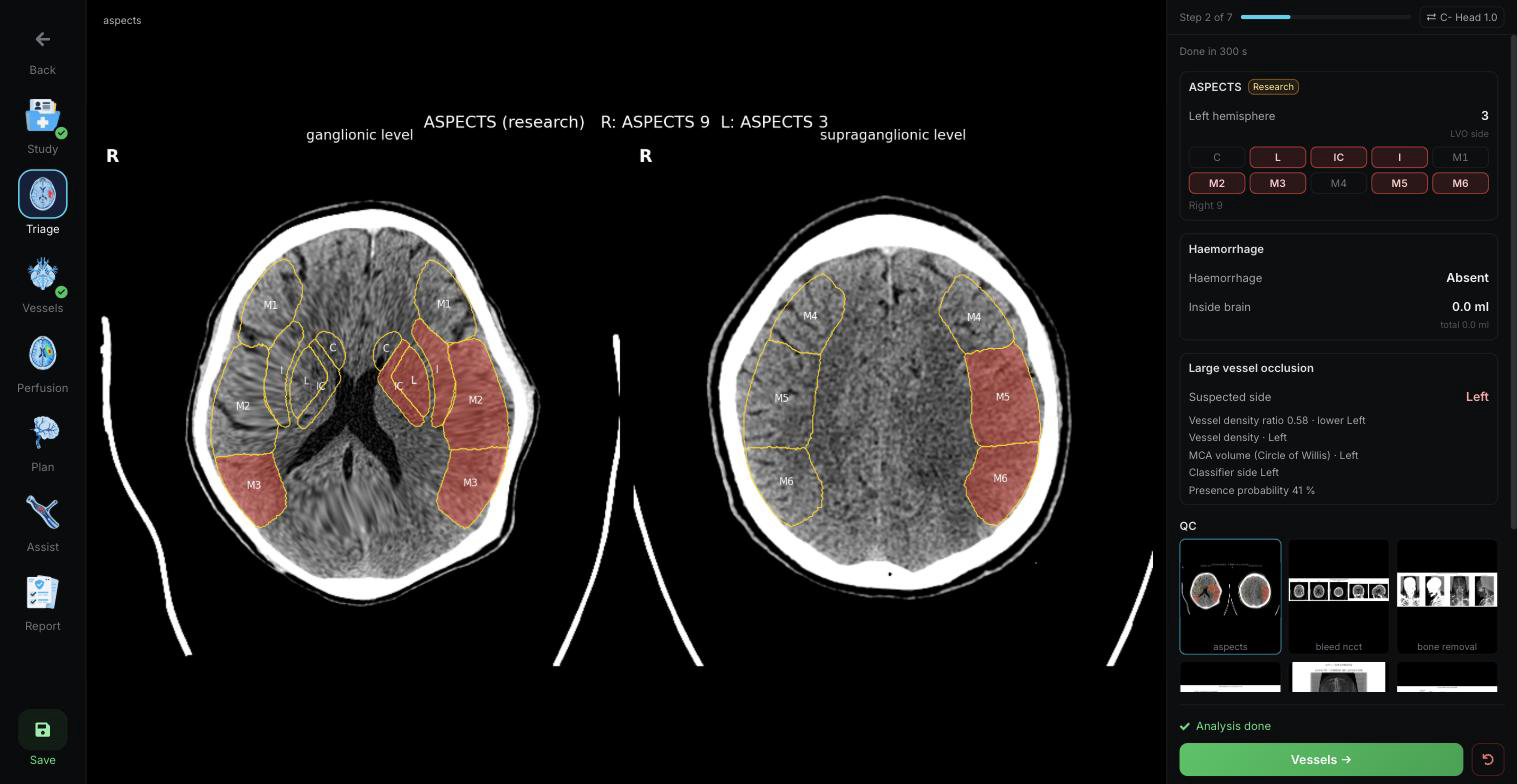
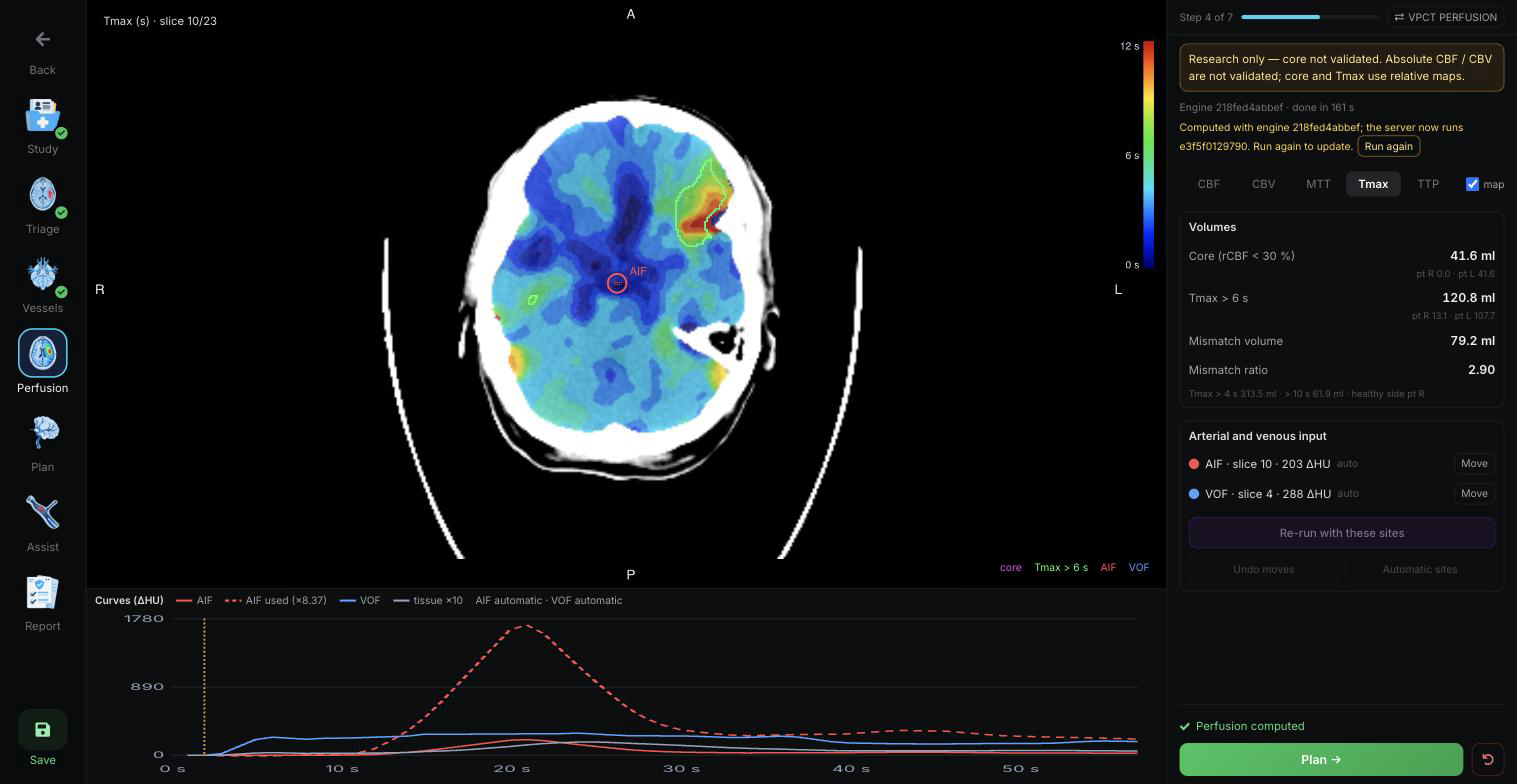
Review findings that help guide triage.
Review haemorrhage assessment, ASPECTS regions, and perfusion maps and measurements alongside the source images.
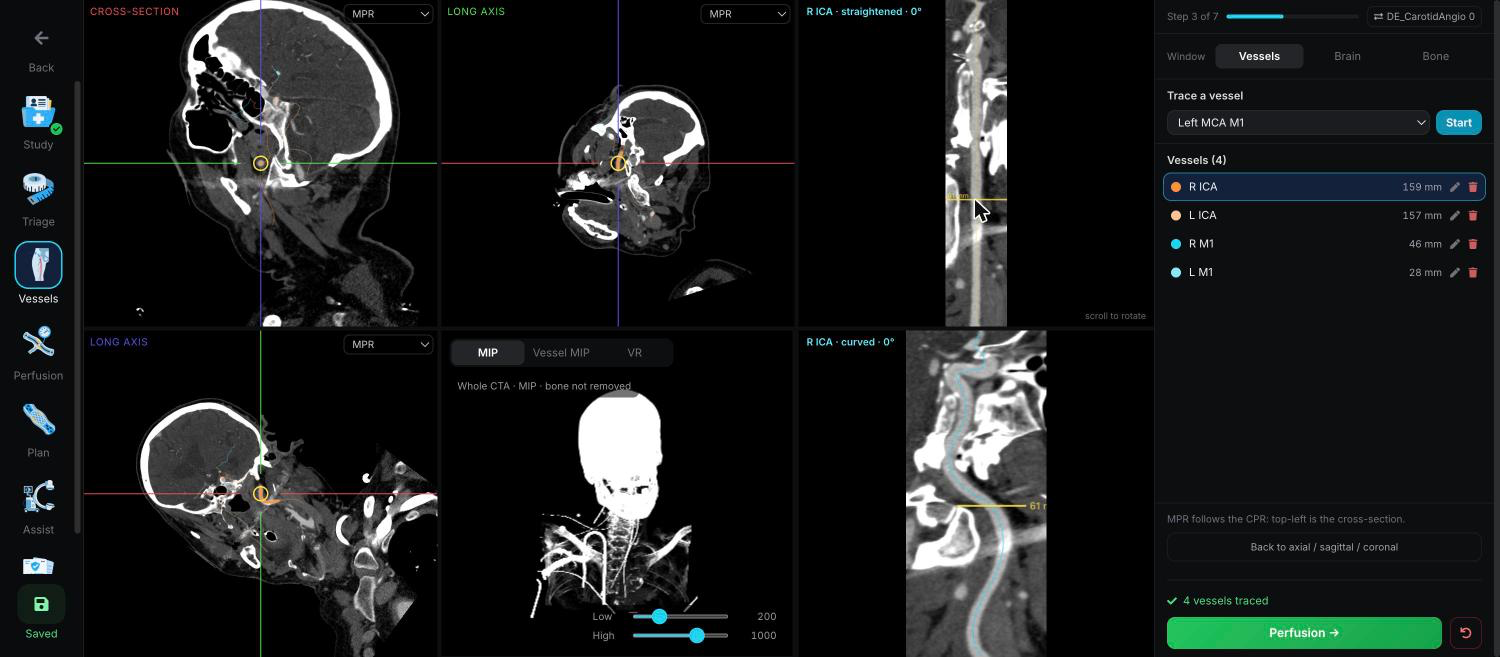
Find and review a suspected LVO.
Review the suspected occlusion and vessel findings on CTA. Follow the vessel in multiplanar, 3D, and curved views.
Plan the procedure around the case.
Bring the target, access route, and working view together in a plan for the intervention.
Follow real-time imaging guidance.
Use procedural guidance to support navigation and keep the planned target and working view in context during the intervention.
Keep the case review together.
Bring the scan findings, triage, LVO assessment, plan, and procedure details into one case record for review.