02 / MITRAL INTERVENTION
Plan mitral valve procedures from CT.
QuanMitral measures the mitral valve and nearby anatomy on CT. Review the annulus, leaflets, and LV outflow tract, compare device positions, and plan an access route.
Request a QuanMitral demo →Curved LVOT and CT–echo fusion are still being tested.
THE WORKFLOW
How the workflow works.
- 01Cardiac phase
- 02Annulus & leaflets
- 03LVOT assessment
- 04Device position
- 05Access & views
- 06Report
Review the scan and measurements at each step.
Trace the mitral annulus.
Trace and review the mitral annulus across CT views. Confirm the contour before measuring its shape and dimensions.
Measure annular geometry.
Review D-shape and saddle geometry, projected area, perimeter, intercommissural and septal-lateral dimensions, and phase-specific chamber volumes.
Neo-LVOT assessment.
Choose a virtual valve size and position, confirm the LVOT axis, and review the predicted neo-LVOT area at different depths.
Compare device options.
Compare options for the selected procedure. Review device size, annular fit, calcium, and neo-LVOT results when simulated. The cards follow measured values and flag reasons an option may not fit.
Simulate device deployment.
Preview how the selected frame opens within the measured annulus. Review its position and geometric neo-LVOT sweep. This kinematic animation does not model frame deformation or leaflet displacement.
Leaflets & TEER.
Review leaflet length, movement, and where the leaflets meet. For TEER, inspect the leaflet segments used in the plan.
MAC & adjacent structures.
Review calcium around the annulus and its distance from the septum and circumflex artery.
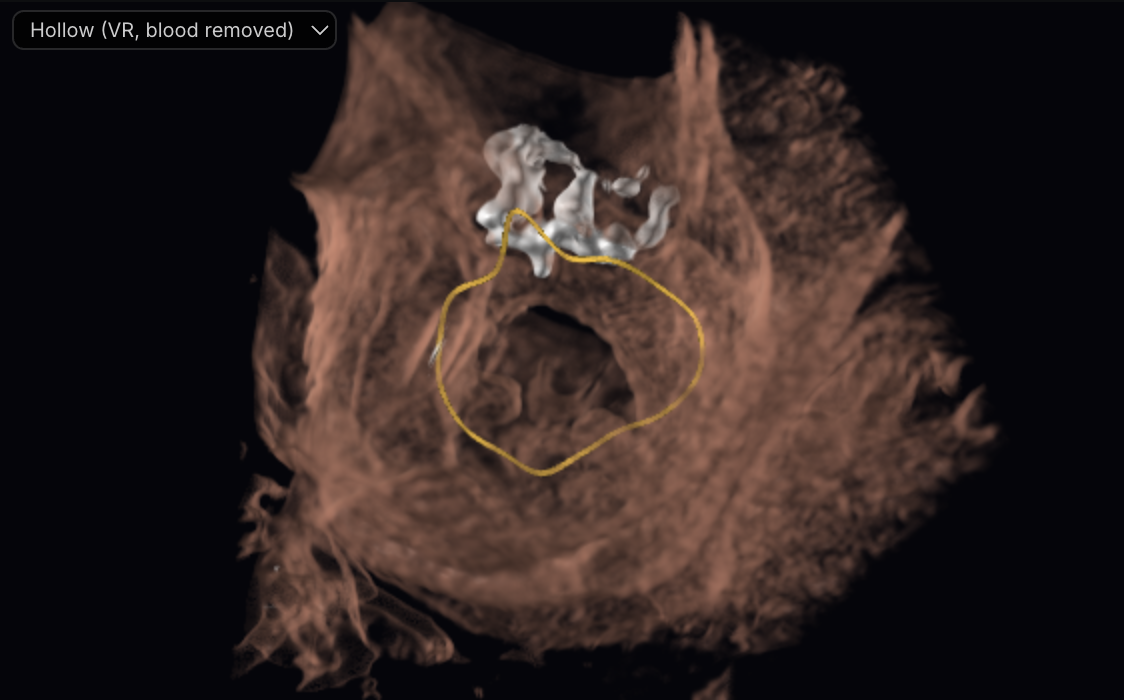
Transseptal & transapical access.
Review the fossa outline and suggested puncture point. Check its height above the annulus, alignment with the target axis, and the planned sheath path before confirming the site.
Plan and review working views.
Generate CT-based TEE-like views for standard angles and adjust the planned probe depth, rotation, flex, and multiplane angle. The probe course is estimated, so depths are approximate and some poses may not be reachable in a patient. These are simulated CT views, not live ultrasound.
Phase comparison & reporting.
Compare measurements across cardiac phases. Add the anatomy, device, and access measurements to the report.
REPORT CONTENTS
What the report can include.
- Annular dimensions by phase
- Neo-LVOT area-versus-depth curve
- Leaflet & calcium assessment
- Access geometry
- Device position and captures